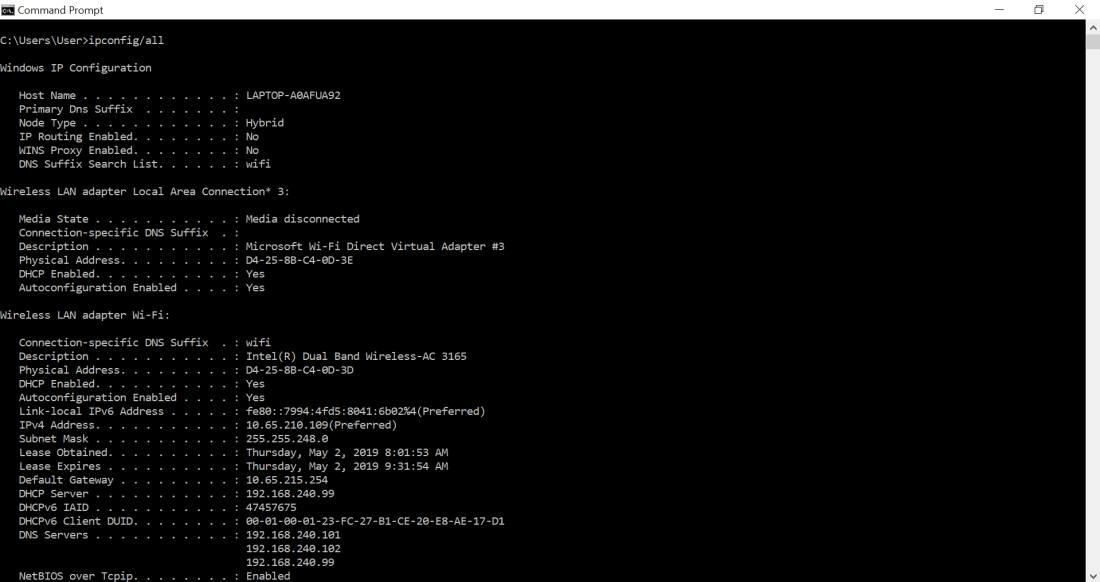
| Your host | |
| MAC address | D4-25-8B-C4-0D-3D |
| IP address | 10.65.210.109 |
| Subnet Mask | 255.255.248.0 |
| Default Gateway IP address | 10.65.215.254 |
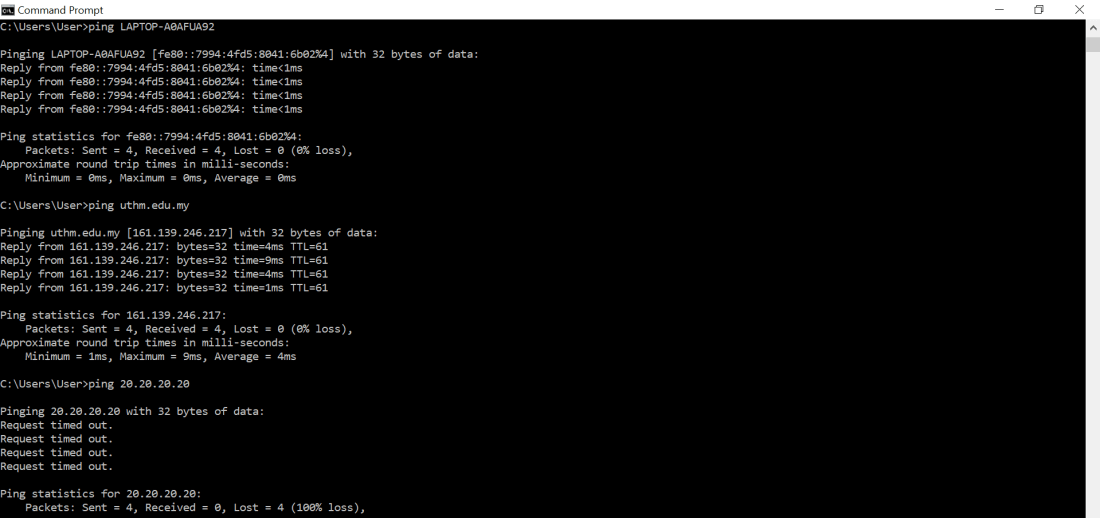
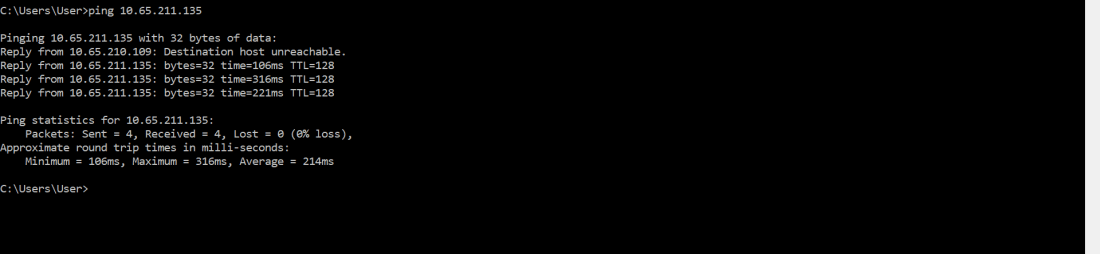
| IP address/ host name | Sent | Received | Lost | Round trip times/ms (min) | Round trip times / ms (max) | Round trip times /ms (Average) |
| LAPTOP-A0AFUA92 | 4 | 4 | 0 | 0 | 0 | 0 |
| uthm.edu.my | 4 | 4 | 0 | 1 | 9 | 4 |
| 20.20.20.20 | 4 | 0 | 4 | – | – | – |
| 10.65.211.135 | 4 | 4 | 4 | 106 | 316 | 214 |
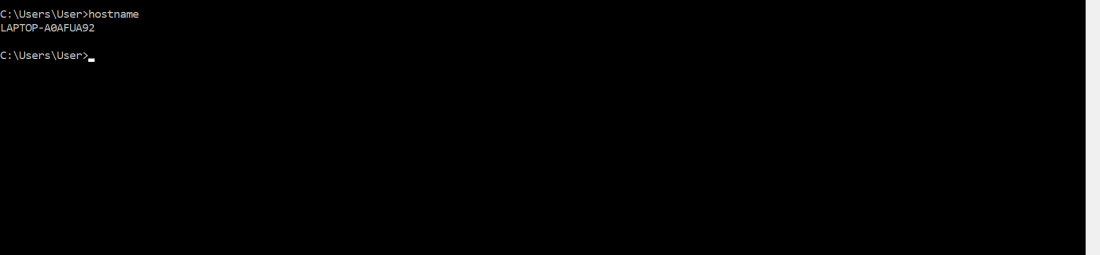
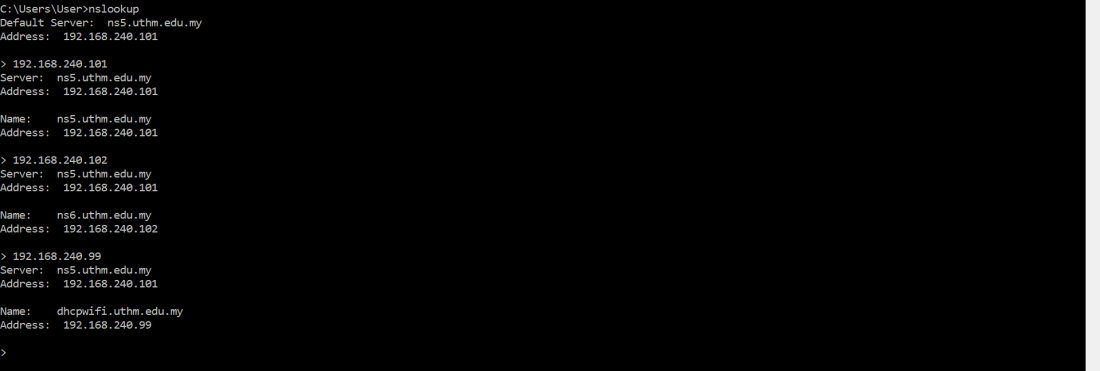
| DNS server | Address |
| ns5.uthm.edu.my | 192.168.240.101 |
| ns6.uthm.edu.my | 192.168.240.102 |
| dhcpwifi.uthm.edu.my | 192.168.240.99 |
Q1: What do you understand from this laboratory exercise?
ANSWER: I learnt how to use command prompt. From command prompt, I learnt about the details of my laptop, for example: IP address, network connection status and more. Subnet is in the same third octet class of IP address, for example: mine is 10.65.210.109 and my friend’s next to me is 10.65.211.135. I also learnt about we can search for IP address with hostname, or vice versa.

 A New Beginning